iPhone · iPad · Mac
Patch & I/O — Stage I/O List
A field app for building an input list, signal flow diagram, patchbay sheet and stage plot in one place, then exporting them as PDF.
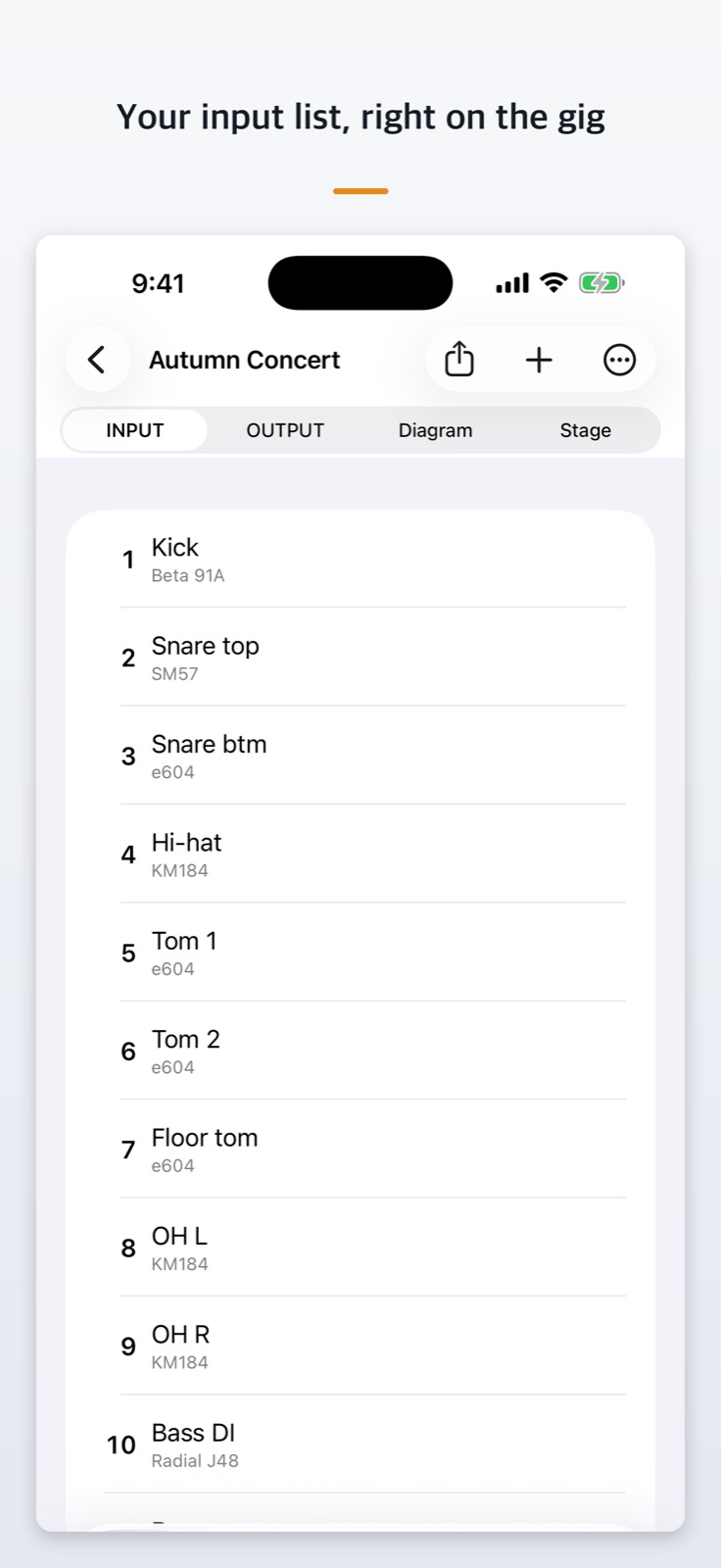
- I/O list with CH, SOURCE, PICK UP, STAND and REMARKS, separate live and recording types
- Flags missing phantom power, duplicate channel numbers and mismatched connectors
- Signal flow diagram drawn from your list
- 24, 48 or 96-column patchbay with actual-size label strips (lifetime unlock)
- Stage plot, PDF export and a free guide to 9 connector types
App StoreLifetime unlock (not a subscription) · free to start
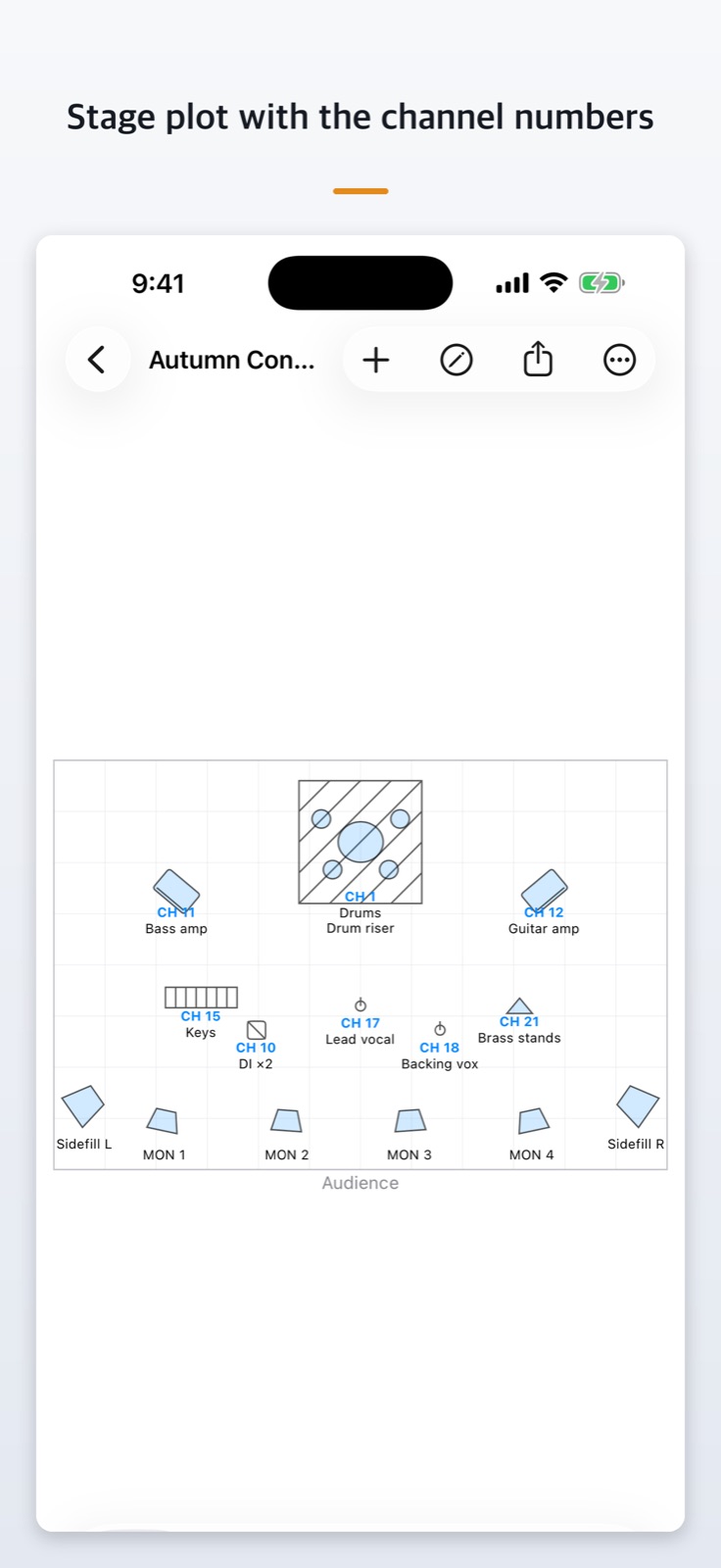
Stage plot with channel numbers
Place, rotate and resize drums, amps, wedges and stands, and attach channel numbers from the I/O list to any symbol.
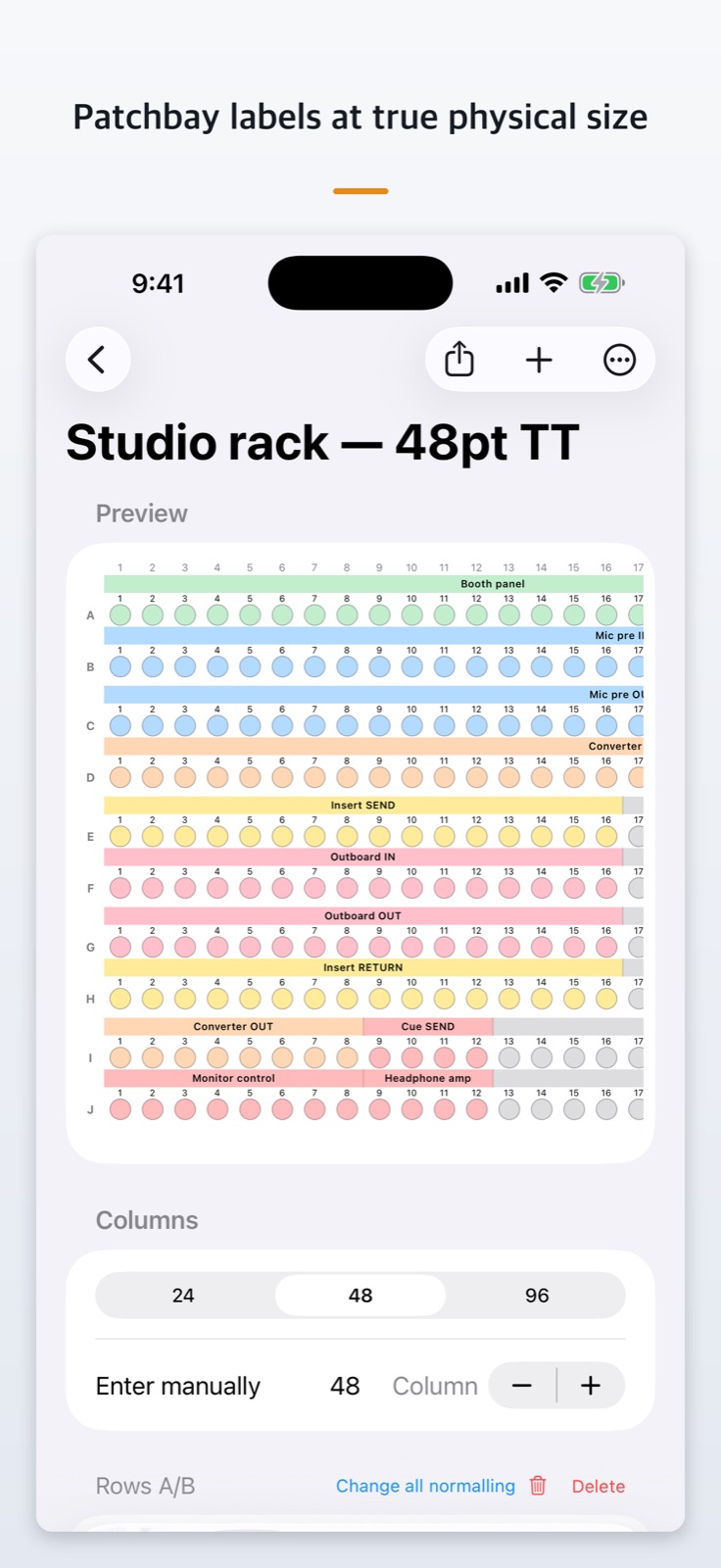
Patchbay labels at actual size
Draw a segment to name and number its jacks. Actual-size label strip printing is part of the lifetime unlock, and you measure and enter the jack pitch yourself.
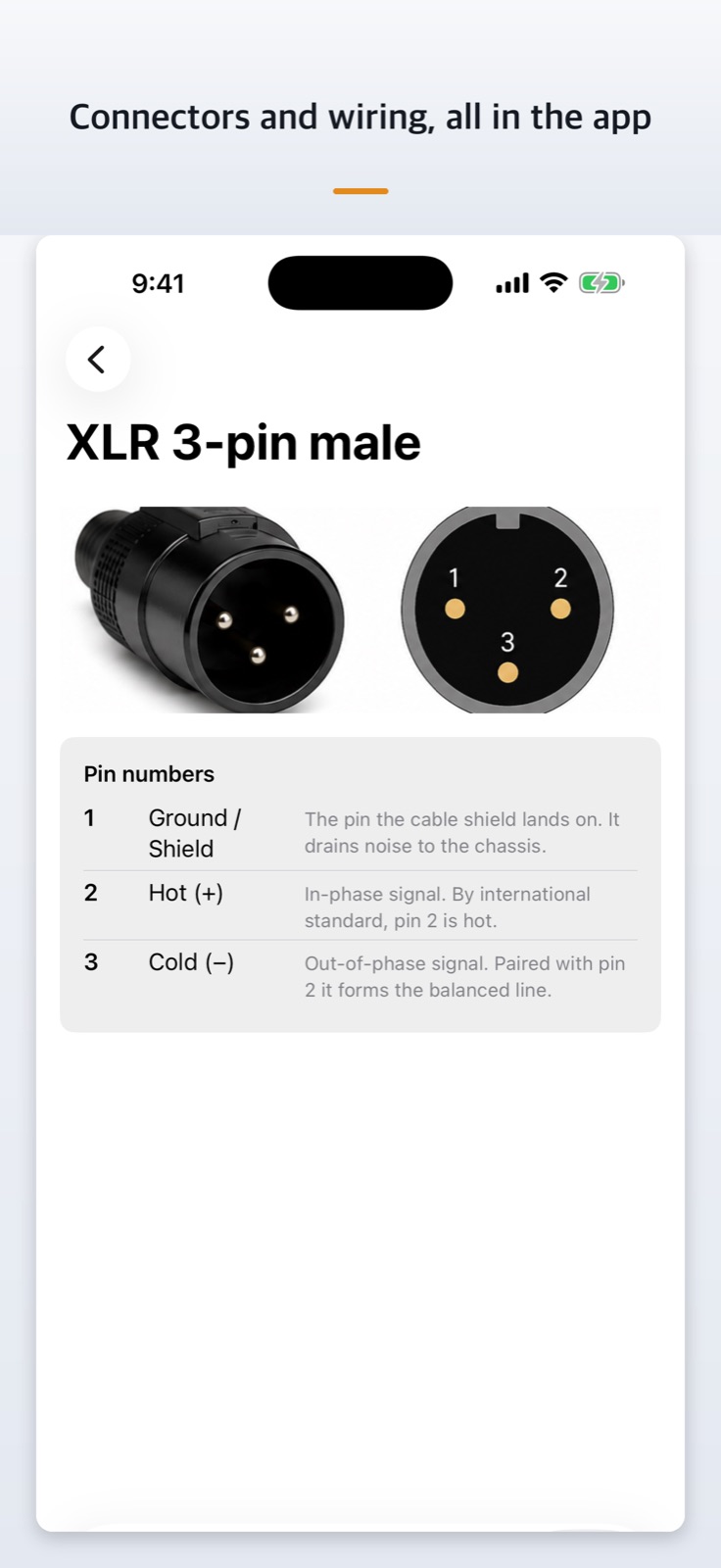
Connector and wiring guide is all free
Photos and pin tables for nine connectors including XLR, TRS, TS, bantam, RCA, Speakon and DB25, plus wiring diagrams and a practice mode.
How to use
- Create a show project
Choose live or recording and create the project. - Fill in the input list
Enter channel, source, mic and stand. Mic and stand counts are tallied and the signal flow diagram draws itself. - Build the patchbay and stage plot
Name the patchbay segments and attach channel numbers to the stage plot. - Export to PDF
Print the I/O list, patchbay sheet, label strip (lifetime unlock), signal flow and stage plot for the crew.
- iPhone · iPad · Mac
- 8 languages
- Free iCloud sync
- Lifetime unlock, not a subscription