macOS
NORA: Cover Song Studio
A Mac app that takes you from recording to mixing and mastering a cover song in five steps, with no studio know-how needed.
- Upload an MP3, WAV or M4A backing track and NORA detects its key and tempo (BPM)
- Punch-in: drag over a mistake and re-record just that part
- Five vocal styles (Sparkly, Solid, Emotional, Crisp, Natural), one tap each
- Master and save as MP3 or WAV, or export the vocal on its own
- Everything runs on your Mac: no account, no upload of your voice
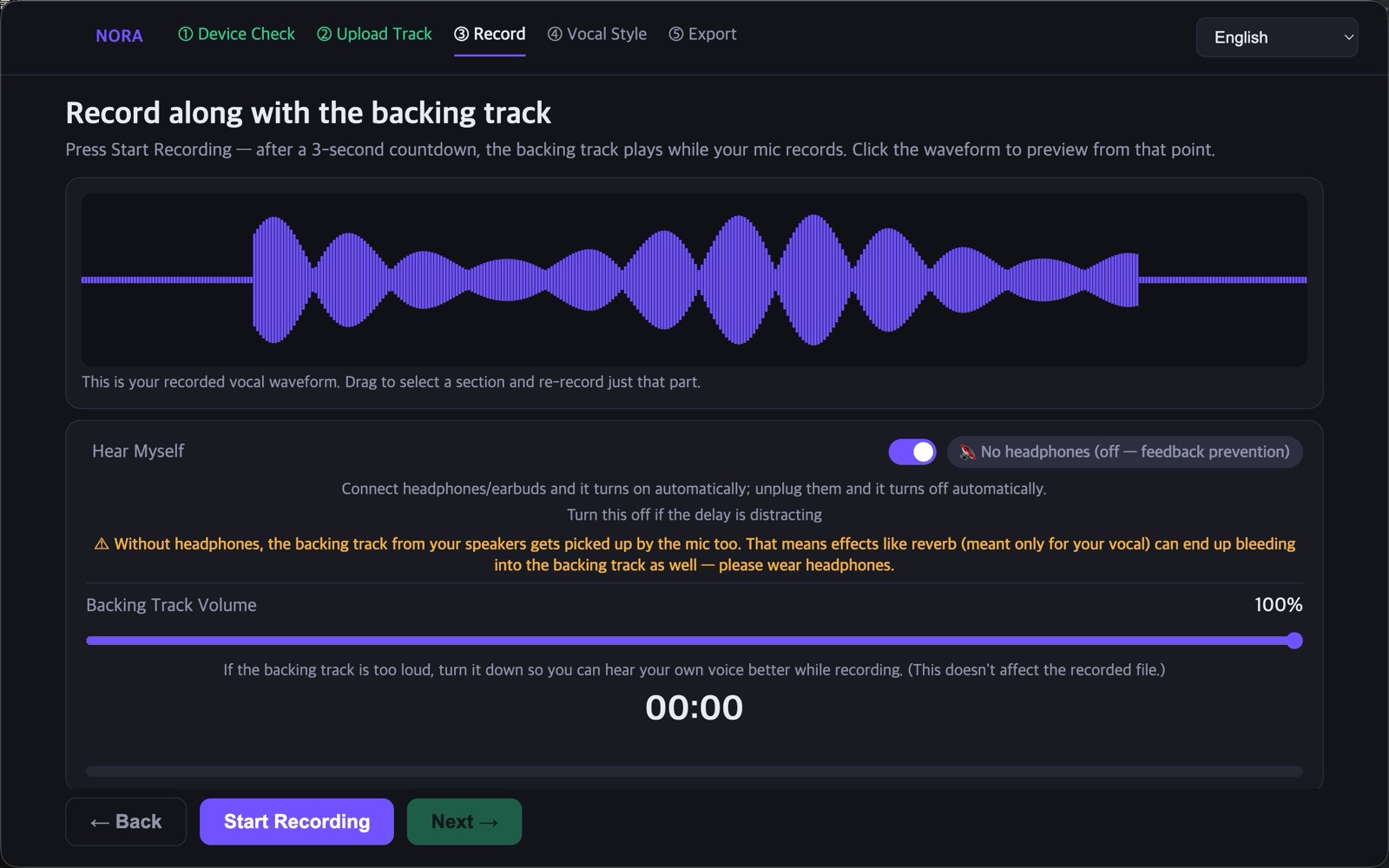
Re-record only the mistake
Drag across the waveform and re-record just that part; it stitches back in seamlessly. Plug in headphones to hear yourself live, and unplug to switch it off automatically so it can't feed back.
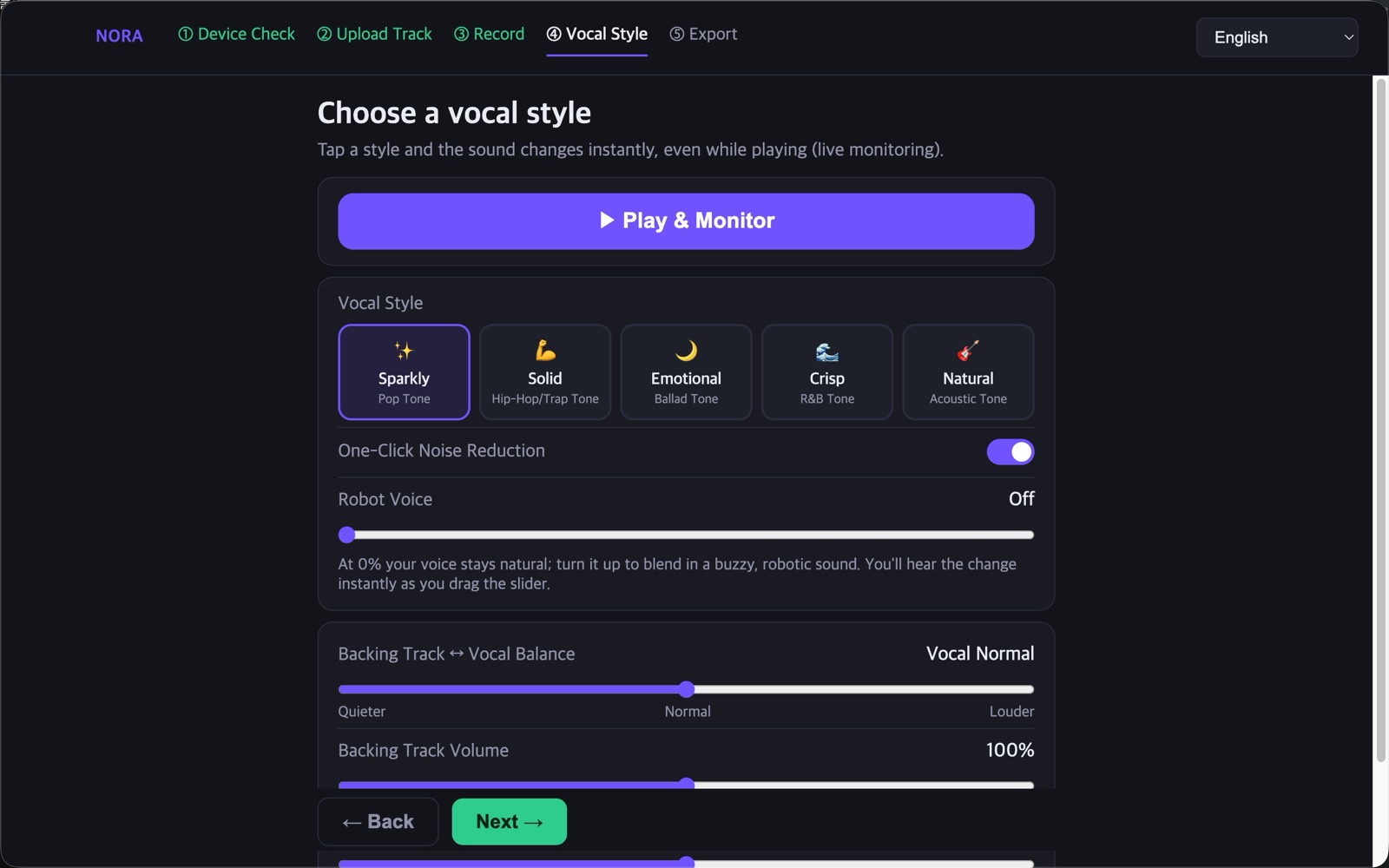
Vocal styles in one tap
Pick Sparkly, Solid, Emotional, Crisp or Natural and the sound changes, tuned per genre. Adjust the vocal and track balance and the reverb while you listen.
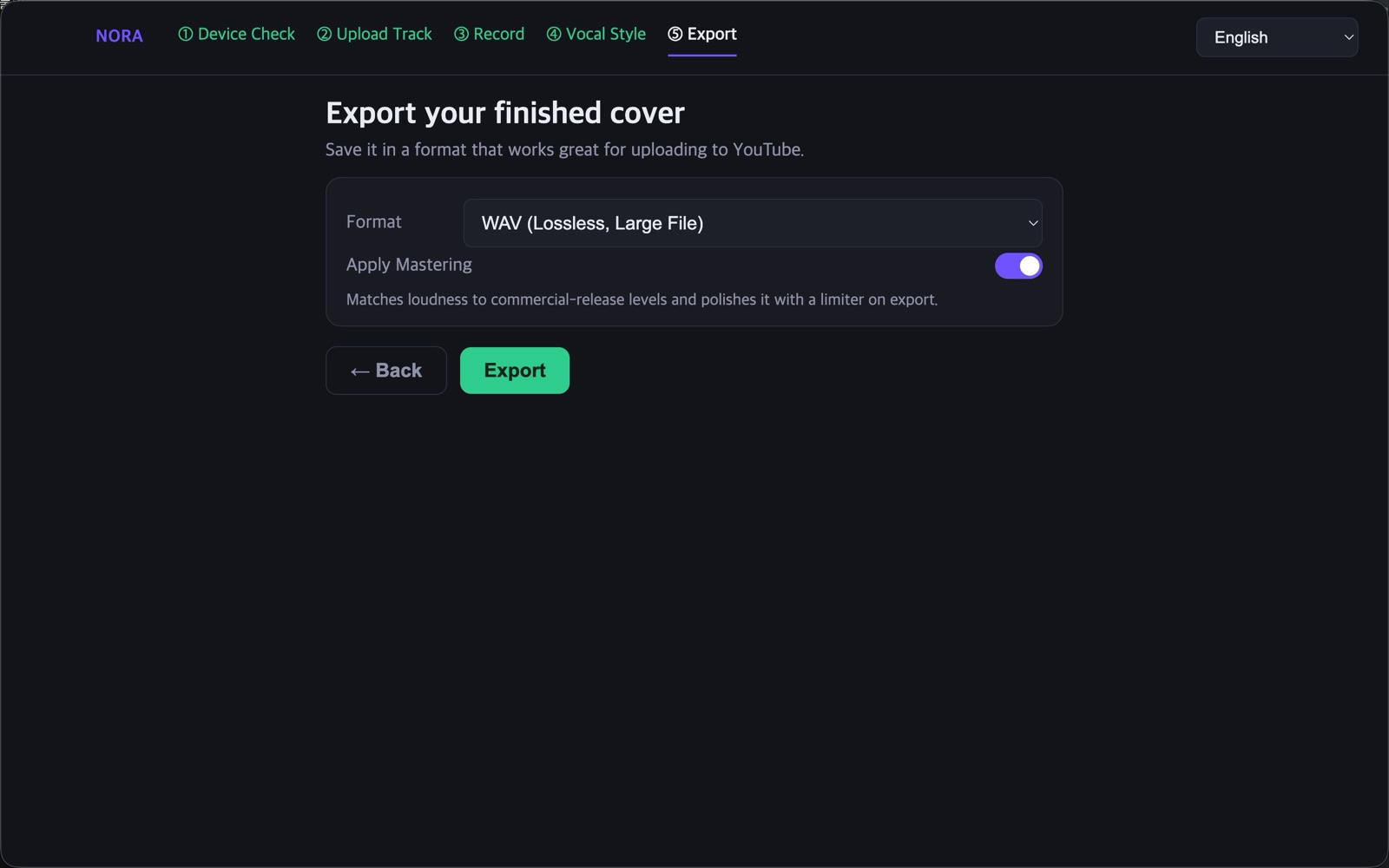
Master and export
Mastering matches the loudness of commercial releases, and you save as MP3 or WAV. You can also export the vocal alone to keep working in your DAW.
How to use
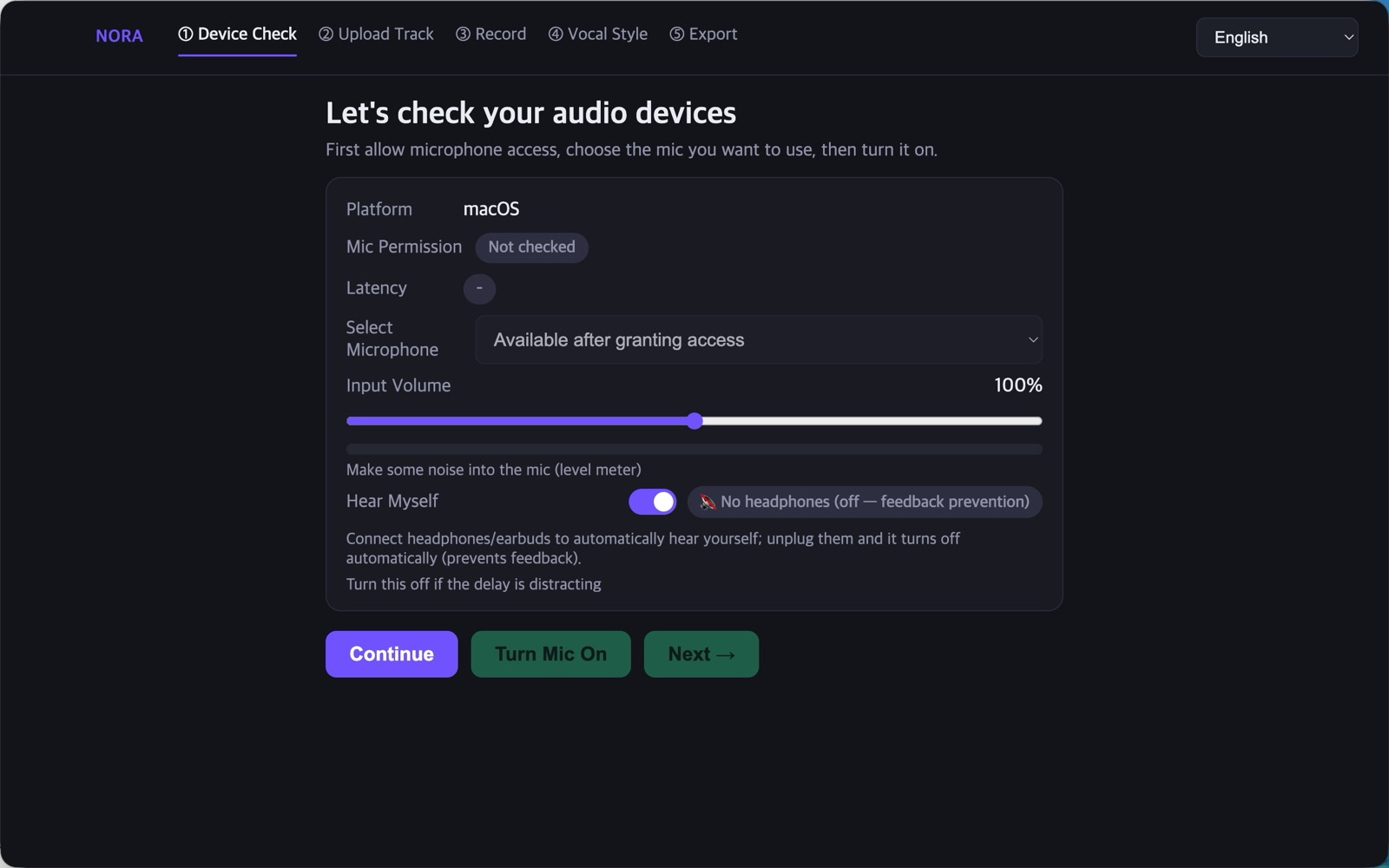
- Check your devices
Pick your mic and set the level; NORA checks latency and your headphones for you. - Upload a backing track
Add an MP3, WAV or M4A file and NORA detects the key and tempo (BPM). - Record
Sing along to the track, and drag over any mistake to re-record just that part. - Choose a vocal style
Switch the sound with a style button and adjust vocal/track balance and reverb. - Master and save
Match the loudness, then export as MP3 or WAV.
- macOS
- 5 steps: record, mix, master
- MP3, WAV and M4A backing tracks
- No account, no voice upload